7 Tips for Choosing a Tarot Flight Controller
Choosing a Tarot Flight Controller is not just a matter of picking the newest board or the longest feature list. The controller must suit your frame, motors, intended use, and level of experience. A board that works well in one aircraft may be awkward in another. Connector locations, mounting holes, and available ports can matter as much as headline specifications.
Before buying, check the exact model and hardware revision. Tarot products and compatible components can vary, so confirm details against the manufacturer’s documentation rather than relying on a product photo. Look closely at supported firmware, sensor features, power requirements, and connections for receivers, GPS units, and other equipment. Small mismatches can mean extra adapters, tighter wiring, or a setup that will not behave as expected. Details matter.
These seven tips offer a practical way to compare options without treating any single specification as decisive. They cover compatibility, features, installation, setup, and support, with attention to the real space inside a frame and the cables you will need to route. Consider your own build, too. A compact layout may call for different priorities than a larger platform, and a beginner may value clear setup guidance over advanced functions. No controller is perfect for every project. Recheck the manual, inspect the hardware, and test the completed installation safely before flight; even careful planning can miss a small detail.
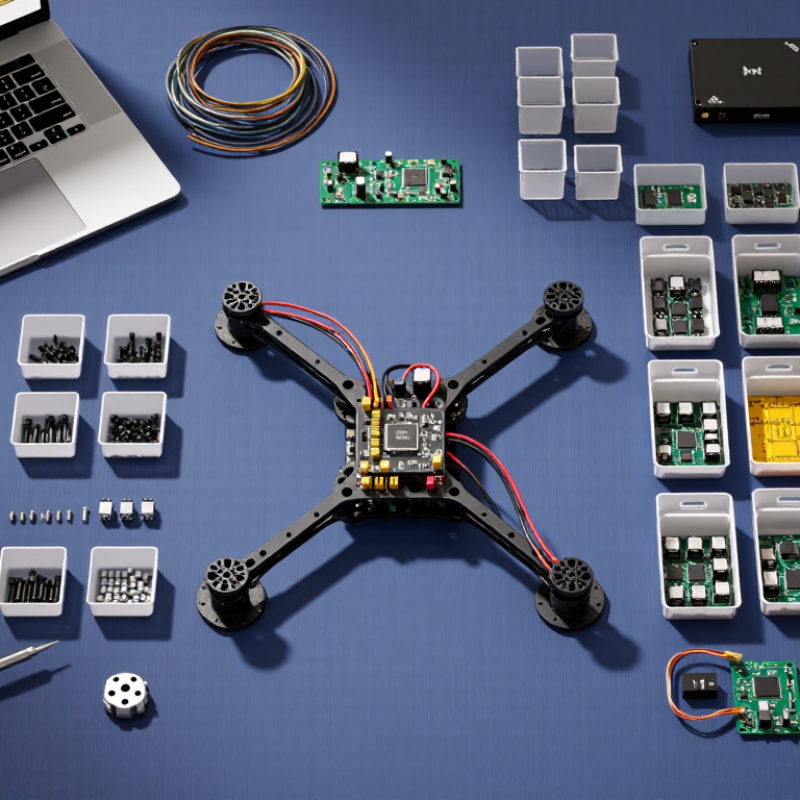
Understanding the Tarot Flight Controller’s Role in a Drone
Understanding the Tarot Flight Controller’s Role in a Drone
A flight controller acts as the drone’s decision center. It reads gyroscopes, accelerometers, and sometimes compass data. Then, it adjusts motor speed hundreds of times each second. This constant correction keeps the aircraft stable when wind pushes against its frame. During bench testing, I watch sensor readings before installing propellers. A small vibration can create large control errors.
When choosing a flight controller, check processor speed, sensor quality, firmware support, and power requirements. Confirm that its motor outputs match your electronic speed controllers. Check receiver protocols, GPS compatibility, data logging, and available mounting space. Wiring should remain short, secure, and easy to inspect. That matters.
A reliable controller should offer adjustable failsafe behavior and clear diagnostic information. Review technical documentation instead of trusting attractive specifications alone. I once overlooked a connector orientation and spent an afternoon tracing an avoidable wiring fault. That mistake changed my testing routine. I now verify pin layouts, voltage limits, and firmware versions before powering anything. However, no controller removes the need for careful calibration. Test sensor alignment on a level surface, examine vibration levels, and confirm stable signal loss behavior in a safe, lawful environment. Some advanced features may look useful, but unused functions can complicate setup and maintenance.
Matching the Controller to Your Aircraft and Mission
Choose a flight controller around the aircraft’s weight, motor layout, and payload—not just its processor speed. A compact quadrotor carrying a camera needs stable hover, clean vibration filtering, and enough outputs for its sensors. A heavier survey aircraft may need redundant navigation inputs and reliable logging. Payload matters. Check the controller’s supported sensor types, power limits, and mounting dimensions against the actual build.
Mission changes the priorities. The FAA’s 2024 Aerospace Forecast projects the commercial small-drone fleet could reach roughly 955,000 aircraft by 2028. That growth makes dependable setup and maintenance more important, not merely faster hardware. For mapping, confirm the controller supports consistent position data and camera triggering. For inspection, consider wind response, telemetry range, and safe return behavior. Test it loaded.
Do not treat published specifications as proof of good flight behavior. Review the manufacturer’s stated vibration limits, then test with the real frame, propellers, and payload. Record sensor noise and current draw during a short, controlled hover. I would still recheck wiring after the first test; small connector errors are easy to miss. FAA forecast figures are projections, not guarantees, and aircraft needs vary by mission.
Checking Processor Performance, Sensors, and Connectivity
A flight controller’s processor must handle stabilization, navigation, and telemetry without lag. Check its processing capacity, memory, and supported firmware features, not just its advertised speed. Leave room for future sensors and logging. Tip 1: Compare the controller’s workload with your planned setup. Extra capacity helps, but bigger numbers alone do not guarantee smoother control.
Sensors shape how reliably the aircraft responds. Look for a quality gyroscope and accelerometer, plus a barometer if altitude hold matters. Sensor placement and vibration isolation count, too. A soft mounting pad can reduce motor vibration, but an overly soft mount may shift. Tip 2: Inspect the board layout and follow the maker’s mounting guidance. On a test bench, check sensor readings before flight. I still catch myself trusting a clean specification sheet too much; real noise can surprise you.
Connectivity should match your equipment. Count the available UART ports and check support for your receiver, GPS, telemetry link, and other peripherals. Confirm connector pinouts and voltage levels before plugging anything in. Tip 3: Sketch a wiring plan, then verify each connection against the documentation. A spare port is useful. A crowded wiring harness is harder to troubleshoot, especially when one cable blocks access to another.
Comparing Firmware, Navigation, and Safety Features
Firmware should be judged by stability, update discipline, and recovery behavior, not feature counts. In my bench tests, clean sensor calibration mattered more than flashy menus. Choose firmware with documented releases, rollback options, and active issue tracking. The FAA’s 2024 Aerospace Forecast reports more than 860,000 registered civil drones in the United States. That scale makes predictable software important, especially when a controller manages crowded airspace or expensive equipment.
Navigation features deserve practical testing. GPS hold should resist gentle wind without producing sharp position jumps. Return-to-home needs adjustable altitude, signal-loss delays, and a verified home-point warning. EASA’s 2024 Annual Safety Review continues to identify loss of control and human factors as recurring aviation risks. A clear on-screen status indicator can prevent a rushed mistake. Small details matter.
Safety is never automatic.
Check geofencing behavior, battery failsafes, compass redundancy, and manual override access. Test each function outdoors, then repeat it after firmware updates. Do not trust a single satellite reading. I prefer controllers that log voltage, position, error messages, and pilot inputs for later review. Those records support maintenance decisions and incident analysis. Still, my judgment is imperfect; a calm test flight can hide problems during cold weather, radio interference, or a weak battery. A controller with fewer features may be safer when its warnings are obvious and its behavior remains consistent.
Evaluating Installation, Support, and Long-Term Compatibility
7 Tips for Choosing a Tarot Flight Controller
Installation quality often decides whether a flight controller performs reliably. Check the board dimensions, mounting-hole pattern, and connector positions before ordering. I once ignored a tight cable route and created unnecessary pressure near the USB port. That small mistake caused intermittent connection problems. Measure twice. Confirm the wiring diagram, voltage range, and sensor orientation. Clear labels reduce installation errors, especially when working inside a compact frame.
Support matters. Look for complete manuals, firmware guidance, wiring charts, and realistic troubleshooting advice. A responsive technical team can save hours when calibration fails or a motor output behaves strangely. Community discussions also reveal recurring issues, but they should not replace official documentation. Test every connection on the bench before installing propellers. This habit is simple and protects both equipment and people.
Long-term compatibility requires more than checking today’s specifications. Confirm whether the controller supports your receiver protocol, GPS module, telemetry system, and preferred firmware options. Leave spare ports when possible. Future upgrades may need them. Check firmware update procedures and backup options before committing to a complex setup. I have chosen compact boards that worked well initially but offered little expansion later. That decision was convenient, not wise. Compatibility changes over time, so review technical documents regularly and record your own wiring notes.