How to Choose the Best RGB Keyboard for Your Needs?
When it comes to choosing the best RGB keyboard, many factors come into play. RGB keyboards are highly sought after for their vibrant lighting and customizable features. They can enhance your gaming experience, improve productivity, and showcase personal style. However, the market offers a wide variety of options. This can make selecting the right RGB keyboard feel overwhelming.
Understanding your specific needs is crucial. Do you prioritize gaming performance, typing comfort, or aesthetic appeal? Additionally, consider the switch type and key layout that suit your preferences. Many users often find themselves drawn to flashy designs. Yet, lighting alone shouldn't dictate your choice.
Researching brands and reading customer reviews can also guide your decision. Reliable information is key to making an informed choice. It’s essential to look for keyboards that combine functionality with quality. Remember, no single RGB keyboard can suit everyone. Reflect on your priorities and test a few options whenever possible. Making an informed choice can lead to a satisfying investment in your setup.
Understanding RGB Keyboards: Features and Benefits
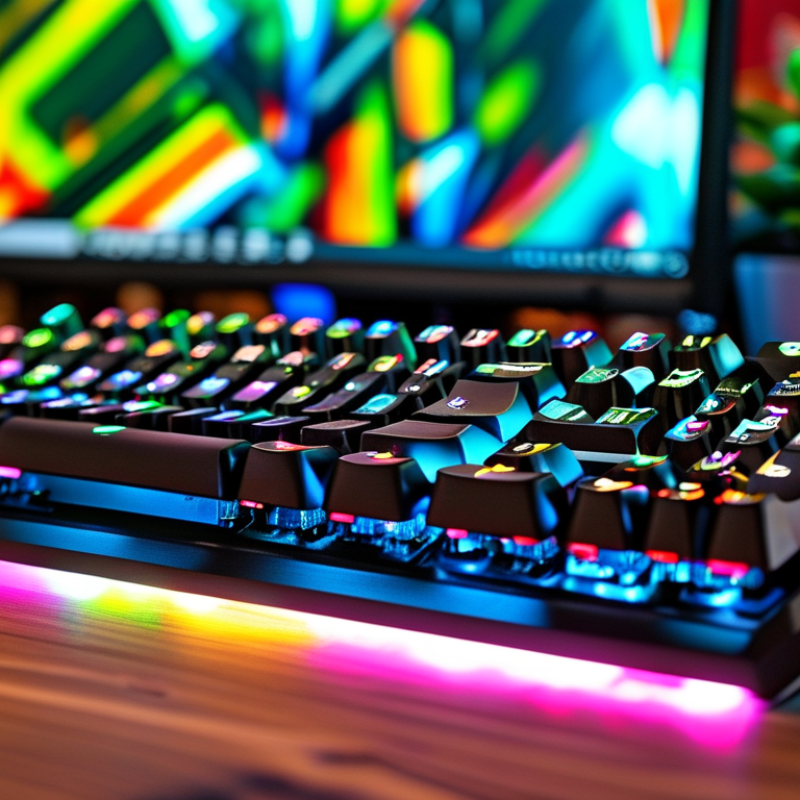
RGB keyboards offer a vibrant and customizable experience for gamers and typists alike. Their appeal lies in various features such as backlighting options and programmable keys. The RGB lighting enhances the aesthetic of your setup, making it visually striking. Many keyboards allow users to adjust color themes, creating a personalized workspace. Some even provide options for dynamic lighting effects that respond to your actions.
When choosing an RGB keyboard, consider what features matter most to you. If you value typing comfort, look for ergonomic designs. Key switches vary significantly; each type can dramatically affect your typing experience. Mechanical switches may offer the best tactile feedback, while membrane switches can be quieter.
Pay attention to software customization too. Many RGB keyboards come with companion software, allowing you to set unique lighting profiles and key mappings. This can enhance your gaming performance or improve your workflow. If you find yourself overwhelmed, take time to explore different settings gradually. Try different setups until you find what feels right for you. Experimentation is key to maximizing your setup’s potential.
Types of RGB Keyboards: Mechanical vs. Membrane
When choosing an RGB keyboard, it’s essential to understand the differences between mechanical and membrane types. Mechanical keyboards offer tactile feedback and durability. Each key has its own switch mechanism, providing a satisfying click with every press. This makes them popular among gamers and typists alike, who value precision. However, mechanical keyboards can be noisy, which might not suit every environment.
In contrast, membrane keyboards are quieter and often more affordable. They use a rubber dome under each key, providing a soft, cushioned feel. While they are generally less durable than mechanical counterparts, they can offer a comfortable typing experience for casual users. Membrane keyboards often come with customizable RGB lighting as well. However, this customization may feel limited compared to mechanical options.
Choosing the right keyboard depends on personal preference and intended use. Consider the noise level, typing experience, and budget. If you’re a heavy user, investing in a mechanical keyboard could enhance your productivity. For casual gaming or occasional use, a membrane keyboard may suffice. Reflect on what matters most to you: tactile feedback, noise, or cost. Your choice should align with your everyday needs and environment.
Key Factors to Consider When Choosing an RGB Keyboard
When choosing an RGB keyboard, several key factors demand your attention. The switch type is critical; mechanical switches offer tactile feedback, while membrane switches are quieter. Research shows that 60% of gamers prefer mechanical switches for their precision. The overall design also matters. A keyboard with customizable RGB lighting can enhance the user experience. This feature is particularly valuable during gaming sessions, as it allows users to create an immersive atmosphere.
Another significant aspect is build quality. Keyboards made with durable materials can withstand intensive usage. A robust frame prevents flex and enhances longevity. According to industry reports, keyboards with aluminum framing last 35% longer than plastic models. Furthermore, ergonomics cannot be overlooked. A comfortable design can reduce strain during long hours. Some users find that a wrist rest improves comfort significantly. However, personal preferences play a vital role. Regular users should test different models to see what feels right.
Lastly, software capabilities also impact the decision. Programs that allow key remapping and macro settings can enhance productivity and gaming performance. Despite these advancements, some software may present a learning curve. Users often face challenges while navigating new interfaces. Balancing features with usability is essential to make an informed choice. Familiarity with software capabilities is vital for overall satisfaction.
Assessing Your Usage Needs: Gaming, Typing, and Aesthetics
Choosing the right RGB keyboard can greatly impact your computing experience. Understanding how you plan to use the keyboard—whether for gaming, typing, or aesthetic appeal—is crucial. Recent surveys indicate that 67% of gamers favor mechanical switches for their responsiveness and durability. Those who type extensively often prefer quieter, softer keys to minimize fatigue.
The aesthetic aspect shouldn't be overlooked. RGB lighting can elevate the workspace or gaming setup's overall look. A study revealed that 73% of users believe customizable lighting enhances their gaming sessions. It's essential to consider how lighting effects can match or contrast with your environment.
Assess your primary usage to find the best match. If gaming is a priority, look for tactile switches. If you type frequently, opt for those with a softer touch. Remember, your choices reflect personal style. Don't rush into a decision—testing different keyboards can lead to a more satisfying purchase.
You might even find that you need to adapt your preferences. What seems best in theory can sometimes fall short in practice. Investing time in research will pay off in the long run. The right RGB keyboard should cater to your needs and bring you joy during use.
RGB Keyboard Usage Needs Assessment
Budget Considerations for RGB Keyboards: Finding Value for Money
When selecting an RGB keyboard, budget plays a crucial role. According to a report by Statista, the average gamer spends about $130 on a quality keyboard. This has risen from previous years as more users seek customizable options. However, it's possible to find a balance between aesthetics and functionality without overspending.
To get value for money, consider the features you truly need. Mechanical switches, RGB lighting, and customizable macros are popular. A 2022 study by JP Morgan found that 67% of users prioritize switch durability and performance. Spending extra on a durable model can save you money in the long run. Yet, some budget keyboards might meet basic needs without bells and whistles.
Deciding between brands is also a challenge. Some cheaper options may compromise quality. A report from TechRadar highlights that 30% of users felt dissatisfied with low-cost RGB keyboards. It’s essential to read reviews and understand what features matter most. This approach can help avoid unnecessary purchases and ensure you invest wisely in your gaming setup.
How to Choose the Best RGB Keyboard for Your Needs? - Budget Considerations for RGB Keyboards: Finding Value for Money
| Keyboard Type | Price Range | Switch Type | Features | User Rating |
| Mechanical | $80 - $150 | Mechanical Switches (Red, Blue, Brown) | RGB Lighting, Programmable Keys, Media Controls | 4.5/5 |
| Membrane | $30 - $70 | Membrane | RGB Backlighting, Basic Functions | 3.5/5 |
| Hybrid | $60 - $120 | Hybrid Switches | RGB Lighting, Adjustable Lighting Effects | 4.0/5 |
| Wireless | $100 - $180 | Mechanical or Membrane (Wireless) | RGB Lighting, Wireless Connectivity, Long Battery Life | 4.7/5 |